Platform4 Nov 2026
Find anything in seconds with the command palette
A greatly expanded command palette lets you search pages, settings, stores, knowledge articles and docs, and start common tasks, all from your keyboard.
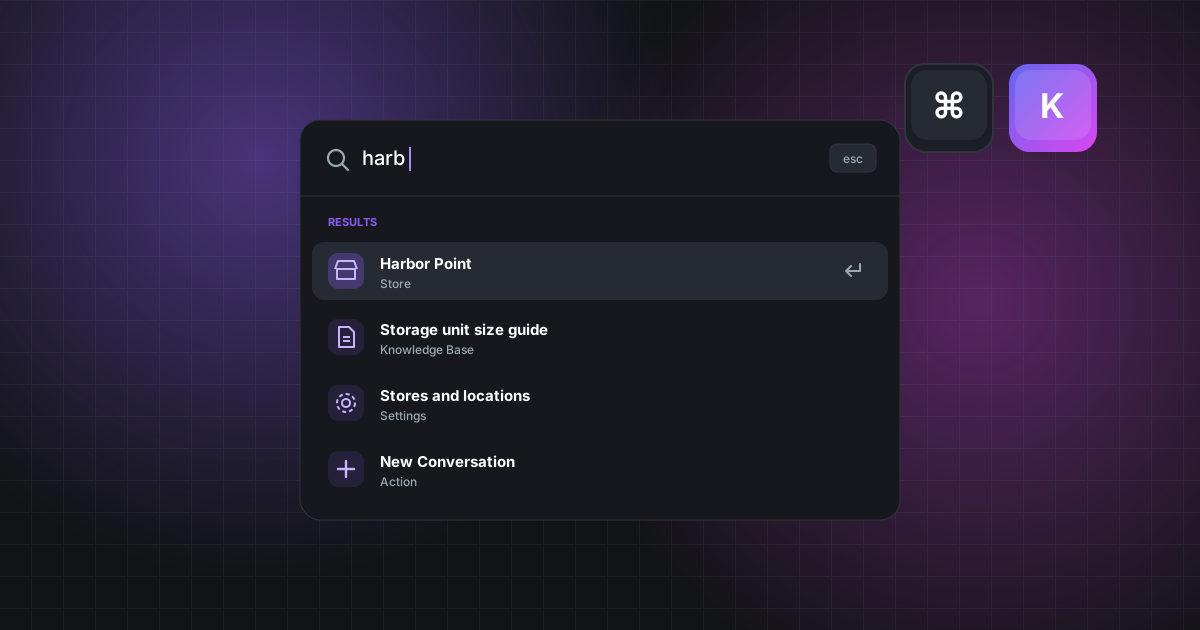
Press ⌘K (or Ctrl+K on Windows) anywhere in CSRScape and the new command palette is ready to take you wherever you need to go.
It searches across:
- Every page you have access to, from conversations to dashboards
- Settings, so you can jump straight to the option you need
- Your stores and knowledge base articles
- Help docs and release notes
It's also the fastest way to get things done. Start a new conversation, quality assessment, coaching session or roster without hunting through menus.
The palette only shows what you're allowed to see, and it's smart about matching — type a few letters of what you're thinking of and the right result rises to the top.